

Creating an Account
Your personal my Social Security account lets you securely access and manage your Social Security information online. You must be 18 years or older and have a valid email address to create an account.
Get started:
1. Choose your sign-in service
When you are ready, you’ll need to select Login.gov or IDMe as your sign-in service. Login.gov and IDMe provide identity verification and secure access to your personal


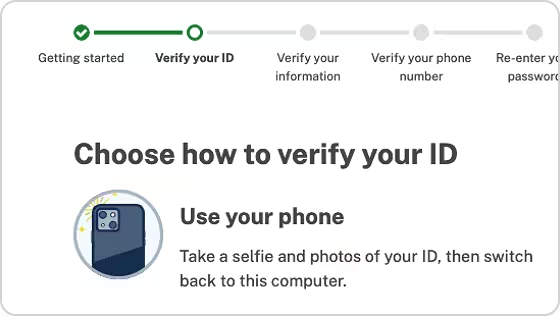
2. Sign in to your selected service
If you already have a Login.gov or IDMe account, you can access your personal my Social Security account using your existing Login.gov or IDMe email address and password. If you have not used one of these services before, you will need to verify your identity and create an account with your selected sign-in service. This one-time task can take 5 - 20 minutes and provides secure access to many federal government services in addition to your official my Social Security account.

3. We’ll sign you in to your online my Social Security account
Once you have verified your identity using the Login.gov or IDMe sign-in service via SSA.gov, you will have access to your personal my Social Security account.
Choose how to sign in
You can use either Login.gov or IDMe to verify your identity and securely access your official
 |
 |
|
|---|---|---|
|
What it is
|
A government sign-in service used across many federal agencies
|
A sign-in service used across many federal agencies and private companies
|
|
Best for
|
Most users in the United States
|
Users inside or outside the United States
|
|
What you'll need
|
Email address, government-issued photo ID and a phone number
|
Email address, government-issued photo ID and a device with a camera
|
What if I have an email login? As of June 7, 2025, Social Security online services use Login.gov and IDMe for sign-in. If you don’t already have an account, you’ll need to create one.
Ready to create your account?
Access your Social Security information and manage your benefits online with a personal
If you already have an account, you can sign in here.